
Free Fire MAX 2026: Safe Download, Redeem Codes, Best Settings & Tips
Official Source
Google Play & App Store
Storage
~4 GB free
Updated
October 2026
Developer
Garena
Price
Free (in-app purchases)
Category
Battle Royale
Official Links Only
Independent Fan Guide
Free Fire MAX (often called FF MAX) is Garena’s high-graphics version of Free Fire. The safest way to get started is to complete your Free Fire MAX download from the official app store, check your phone’s specs, and set up your controls before your first match. Many new players grab a random Free Fire MAX APK or a Free Fire Mod APK from an unknown site and end up with crashes, lost progress, or a banned account. This guide walks you through everything you need for Free Fire MAX, from download and settings to redeem codes, free diamonds, characters, maps, and smart playing habits.
Disclaimer: This is an independent fan guide. We are not affiliated with, endorsed by, or connected to Garena. All game names and trademarks belong to their owners.
Key Takeaways
- Download only from Google Play, the App Store, or Garena’s official site.
- Phones with 4 GB RAM or more run the MAX edition best; older phones should use classic Free Fire.
- Your progress is shared between both versions through Firelink.
- Stable frame rate and the right sensitivity matter more than high graphics.
- Mod APKs and hacks lead to bans — fair practice is the only lasting way to improve.
Free Fire Mod APK: What It Is and Why It Is Risky
A Free Fire Mod APK is an unofficial, edited copy of the Free Fire or Free Fire MAX Android installer. Someone outside Garena unpacks the game, changes or injects code, then shares the file on download sites with promises like unlimited diamonds, a mod menu or auto headshot.
Because the file is rebuilt by an unknown person, it loses Garena’s original signature and cannot update from Google Play. More importantly, Free Fire is an online game: your diamonds, skins and rank live on Garena’s servers, not inside the APK. That is why most Free Fire Mod APK promises simply cannot work, and the ones that change gameplay are exactly what the anti-cheat system looks for.
What Free Fire Mod APK Sites Usually Claim
- Unlimited diamonds and coins, often advertised as a “99999 diamond hack”
- Mod menu with toggles for cheats during a match
- Auto headshot and aimbot that lock your crosshair on enemies
- Wallhack or ESP to see players through walls
- All characters, skins, emotes and bundles unlocked
- “Antiban” protection that supposedly hides the cheats
None of these claims can be verified, and none are approved by Garena. Cosmetic “unlocks” usually show only on your own screen, while gameplay cheats put your account at serious risk.
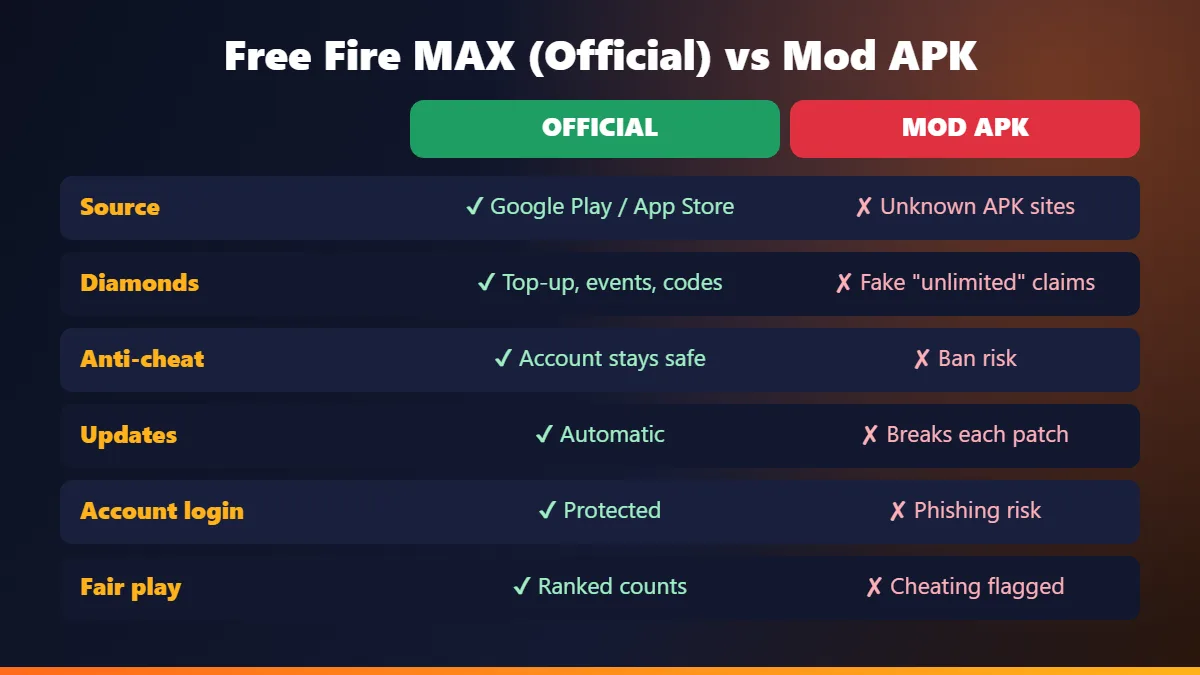
Free Fire Mod APK vs Official Free Fire MAX
| Point | Official Free Fire MAX | Free Fire Mod APK |
|---|---|---|
| Source | Google Play / App Store | Unknown APK sites |
| Diamonds | Top-ups, events and official codes | Fake “unlimited” claims |
| Anti-cheat | Account stays in good standing | High ban risk |
| Updates | Automatic with every patch | Breaks after each update |
| Account login | Protected by Google, Facebook or VK | Phishing and data risk |
| Ranked matches | Results count | Cheating gets flagged |
Why Mod Menus and Auto Headshot Get Accounts Banned
Anti-cheat detection
Garena’s anti-cheat checks for modified game files and abnormal behaviour, such as perfect headshot rates or impossible movement.
Server-side checks
Diamonds, items and match results are verified on the server, so edited values are rejected or flagged.
Player reports
Opponents can report suspicious players, and reviewed reports lead to suspensions or permanent bans.
Lost progress
A banned account loses its rank, skins and any diamonds you bought, and an appeal is rarely successful.
The “99999 Diamond Hack” Myth
Searches like “Free Fire MAX diamond hack 99999 mod APK” are huge, but there is no file or generator that can add diamonds to your account. Diamonds are stored on Garena’s servers and are only added through official top-ups, events and rewards.
- Online generators ask for your player ID, then push surveys or app installs. Your balance never changes.
- Login pages asking for your Google or Facebook password are phishing traps that can steal your account.
- “Diamond” mod APKs may show a fake number on screen, but nothing is saved and purchases fail.
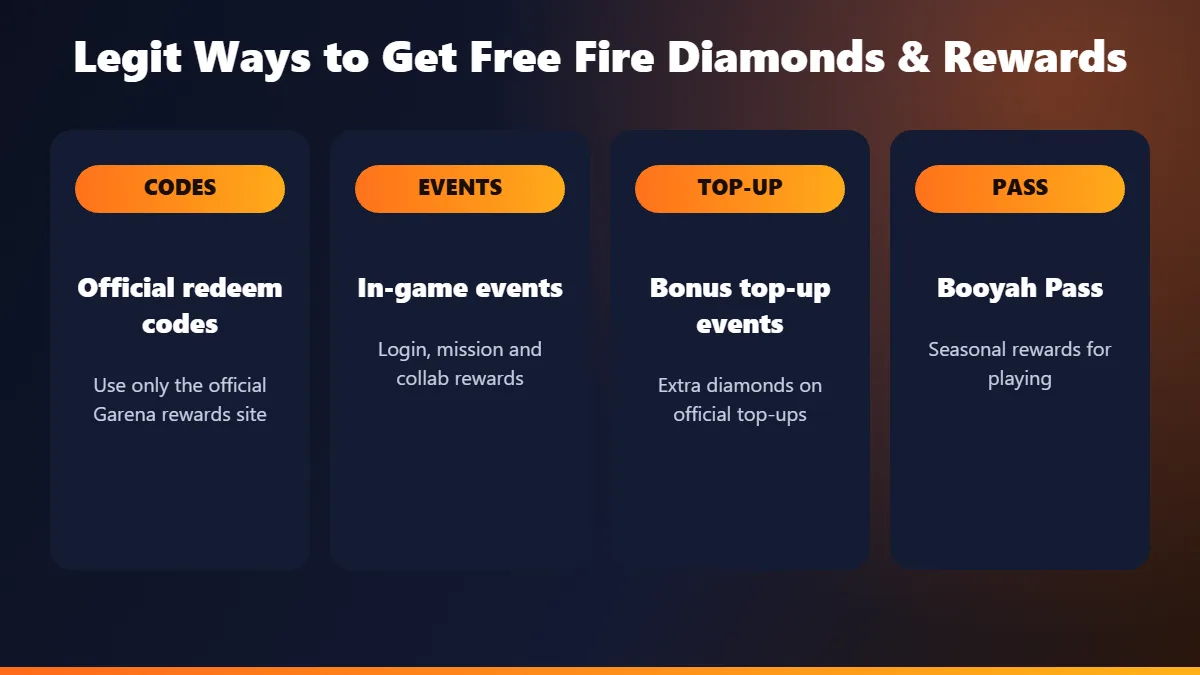
How to Get Free Diamonds in Free Fire MAX (Legit Ways)
- Redeem official codes on Garena’s official rewards redemption site, using the same account you play with. See our redeem codes guide below.
- Join in-game events for login rewards, mission rewards and collab bundles.
- Watch for bonus top-up events that give extra diamonds on official purchases.
- Complete the Booyah Pass missions each season for skins and rewards.
- Use Google Play credit you earn legitimately, for example from Google Opinion Rewards, to top up through the official store.
Already Installed a Free Fire Mod APK? Do This
- Uninstall the modified game right away.
- Run Google Play Protect (Play Store, profile icon, Play Protect, Scan).
- Change your Google or Facebook password if you signed in to the mod or a generator site.
- Remove any unknown apps with accessibility or device admin access.
- Reinstall the official game from Google Play and log in with your bound account.
For more on protecting your account, read the Account Safety and Fair Play section below.
What Is Free Fire MAX?
Free Fire MAX is the high-graphics edition of Garena Free Fire, a mobile battle royale shooter. Up to 50 players drop onto an island, collect weapons and gear, and fight until one player or squad remains. The core rules are the same as the original game. The difference is in how the game looks, sounds, and feels on capable phones.
How It Differs From the Original Free Fire
The MAX edition adds sharper textures, better lighting, smoother animations, and richer sound effects. Lobbies and maps look more detailed, and effects like smoke and explosions feel more realistic. Because of this extra detail, it needs more storage, more RAM, and a stronger processor. The original Free Fire stays lighter, which makes it the better pick for older or budget phones.
What Firelink Technology Does for Your Account
Firelink is the system that connects both versions to one account. Your level, characters, skins, emotes, diamonds, and rank stay the same whichever version you open. You can log in on the MAX edition today and switch back to the classic game tomorrow without losing anything. To use Firelink properly, your account should be bound to Google, Facebook, or another supported login rather than a guest profile.
Popular Game Modes: Battle Royale, Clash Squad, Lone Wolf
- Battle Royale: The classic mode. Land, loot, survive the shrinking safe zone, and be the last one standing.
- Clash Squad: Fast 4v4 rounds. You buy weapons with in-round coins, so smart spending matters.
- Lone Wolf: Small 1v1 or 2v2 fights on compact maps. It is great for practicing aim and close combat.
Free Fire vs Free Fire MAX: Which One Should You Play?
Both versions share the same matches, servers, and account, so the choice comes down to your phone. If your device handles high graphics without heating or dropping frames, the MAX edition gives a richer experience. If your phone struggles, the classic version will feel smoother, and smooth gameplay always beats pretty gameplay in a shooter.
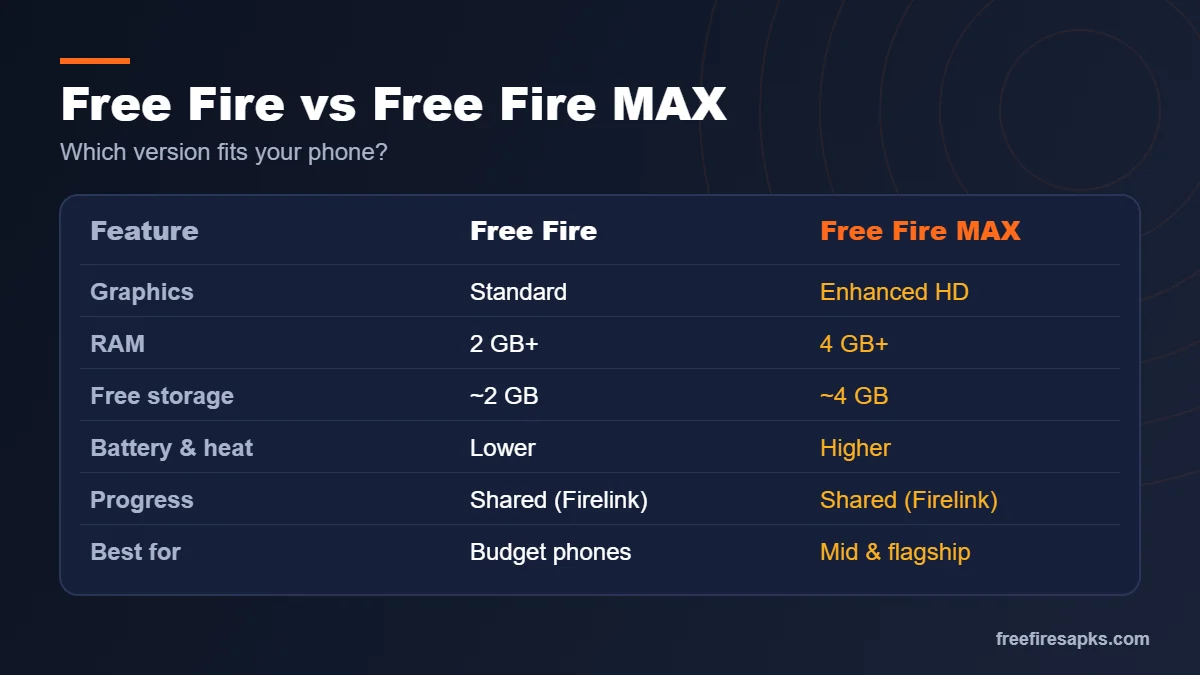
Graphics, Size, and Performance Compared
| Feature | Free Fire | Free Fire MAX |
|---|---|---|
| Graphics quality | Standard, optimized for low-end phones | Enhanced textures, lighting, and effects |
| Recommended RAM | 2 GB or more | 4 GB or more |
| Free storage needed | Around 2 GB | Around 4 GB |
| Battery and heat | Lower usage | Higher usage |
| Account and progress | Shared through Firelink | Shared through Firelink |
| Play together | Yes, same matches | Yes, same matches |
| Best for | Budget and older phones | Mid-range and flagship phones |
Which Phones Suit Each Version
As a simple rule, phones with 4 GB RAM or more and a recent mid-range chip handle the MAX edition well. Phones with 2–3 GB RAM usually run the classic version more smoothly. If you are unsure, install the MAX edition, play two or three matches on medium graphics, and watch for lag or heating. If you see stutters during fights, switch to the classic game. Your progress stays safe either way.
Free Fire MAX Download: How to Install It Safely
The only safe sources are the official app stores and Garena’s own website. Official builds receive security patches, bug fixes, and event content on time. They also keep your account in good standing. Below are the steps for each platform.
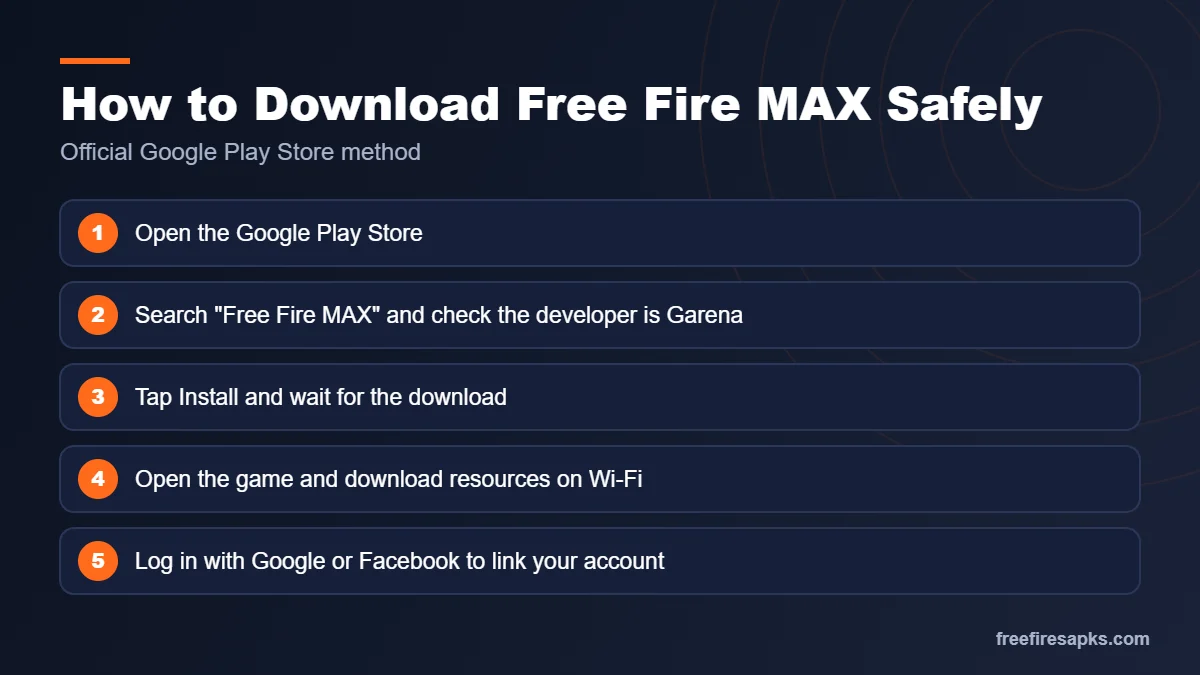
Android: Google Play Store Steps
- Open the Google Play Store on your phone.
- Search for “Free Fire MAX” and check that the developer is listed as Garena.
- Tap Install and wait for the download to finish.
- Open the game and let it download the extra resource files over Wi-Fi.
- Log in with Google or Facebook to link your account.
iPhone and iPad: App Store Steps
- Open the App Store on your iPhone or iPad.
- Search for “Free Fire MAX” and confirm Garena is the publisher.
- Tap Get and confirm with Face ID, Touch ID, or your password.
- Launch the game and finish the in-game resource download.
- Sign in with your linked account to keep your progress.
Free Fire MAX APK Download: Why to Avoid Unknown APK Sites
⚠️ Many websites offer “modded” or “unlimited diamond” files. These files are often outdated, broken, or packed with malware that can steal passwords and banking details. Modified game files also break Garena’s terms of service. Using them can get your account suspended or banned for good, and you lose every skin and rank you earned. If a file promises free diamonds, treat it as a scam.
How to Play Free Fire MAX on PC
Playing on a computer gives you a bigger screen and keyboard-and-mouse control. There are two common ways to do it. Keep in mind that emulator players may be matched with other PC players, so check the in-game rules for your region.
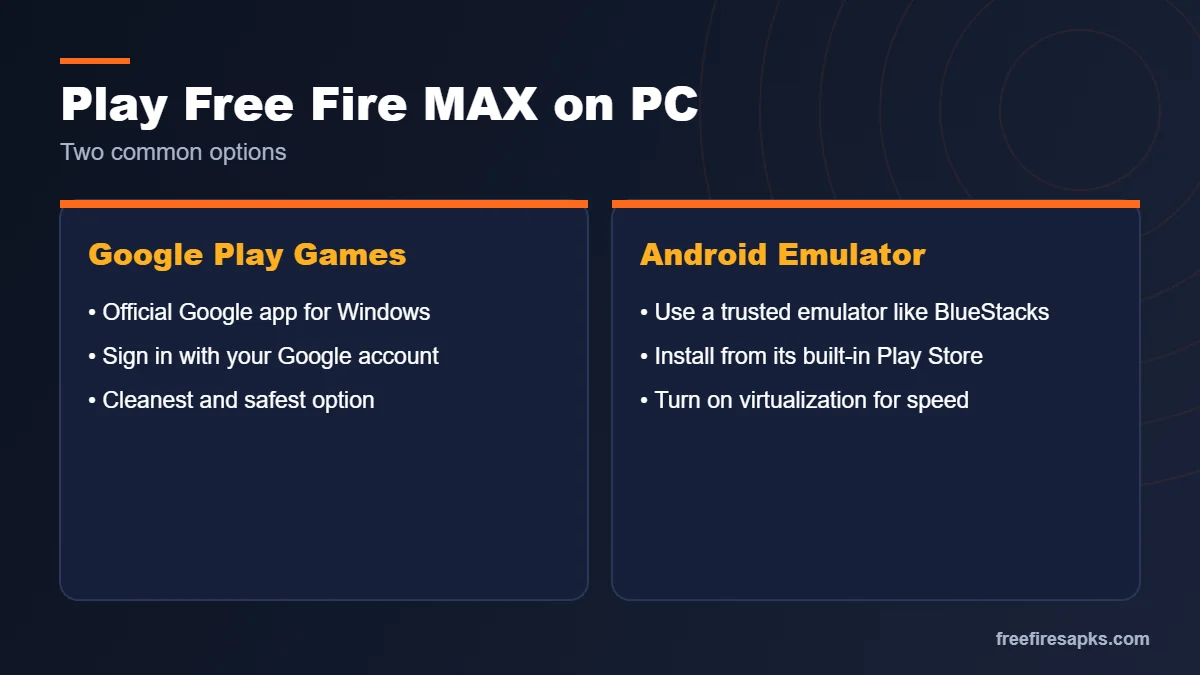
Using the Official Google Play Games for PC
Google offers a Play Games app for Windows that runs selected Android games natively. Install Google Play Games for PC, sign in with your Google account, and search for the game. If it is available in your region, install it and log in with the same account you use on mobile. This is the cleanest option because it comes from an official source.
Using an Android Emulator Like BlueStacks
An emulator creates a virtual Android phone on your computer. Download a trusted emulator such as BlueStacks from its official website. Open its built-in Play Store, sign in, and install the game the same way you would on a phone. Emulators need a decent PC, so give them enough RAM and turn on virtualization in your BIOS for better speed.
Best Keyboard and Mouse Setup
- Use the emulator’s default shooter key map first, then adjust it.
- Bind Gloo Wall to a key near WASD, such as Q or E.
- Keep crouch and prone on easy keys like C and Z.
- Lower mouse sensitivity at first, then raise it slowly as your aim improves.
System Requirements and Device Compatibility
The game runs on a wide range of devices, but your experience depends on RAM, processor, storage, and connection. Always check the current requirements on the official store listing, since updates can change them over time.
Minimum and Recommended Specs
- Minimum: A recent Android version, 2–3 GB RAM, and a quad-core processor. Expect low graphics settings.
- Recommended: 4 GB RAM or more, a modern mid-range chip, and a recent Android or iOS version.
- Best experience: 6–8 GB RAM and a gaming or flagship processor for high frame rates.
Storage and Internet Needs
Keep around 4 GB of free space for the MAX edition, since maps, events, and updates add files over time. A stable Wi-Fi or 4G/5G connection matters more than raw speed. Low, steady ping keeps your shots and movement in sync with the server. Avoid playing while other apps are downloading or streaming in the background.
Fixing Install and Crash Problems on Android 12, 13, and 14
Newer Android versions handle storage and background apps more strictly. This can cause install errors or crashes, especially after a big update. Most problems have simple fixes you can try in a few minutes. For a deeper walkthrough, read our Free Fire MAX Android 12, 13, and 14 fix guide.
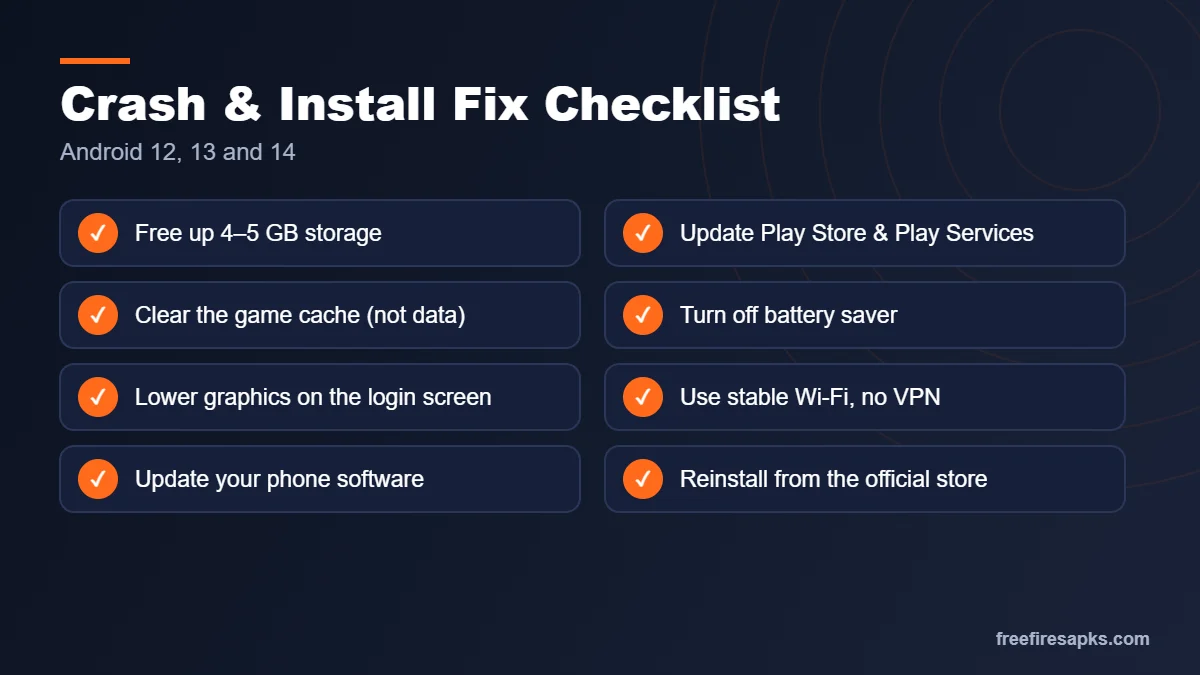
“App Not Installed” and Compatibility Errors
- Free up at least 4–5 GB of storage, then try again.
- Update the Google Play Store and Google Play Services.
- Clear the Play Store cache in Settings → Apps → Google Play Store → Storage.
- Update your phone’s system software if an update is pending.
- If the store says your device is not compatible, use the classic Free Fire instead.
Crashes on Launch and Black Screen Fixes
First, restart your phone to clear stuck background processes. Then open the game’s app info page and clear its cache, but not its data. Turn off battery saver and any “game optimizer” that limits performance. If the screen stays black, lower the graphics from the login screen settings. As a last step, reinstall from the official store and log in with your linked account.
Downloadable Content Stuck or Failing
The in-game resource download can freeze on a weak connection. Switch to stable Wi-Fi and keep the screen awake until it finishes. Make sure the game has storage permission and enough free space. If the progress bar stays stuck, close the game fully, reopen it, and let the download resume. Avoid using a VPN during this step, since it can slow or block the files.
First-Time Setup: Settings That Matter Most
A few minutes in the settings menu can make a bigger difference than any new gun skin. Smooth frame rates and comfortable controls help you aim, move, and react faster.
Graphics and Frame Rate by Device Type
- Budget phones: Smooth graphics, normal frame rate, shadows off.
- Mid-range phones: Standard graphics, high frame rate, shadows off for more stable fps.
- Flagship phones: Ultra or high graphics with the highest frame rate your phone holds without heating.
💡 Pro tip: Always pick a stable frame rate over higher graphics. A steady 60 fps feels far better than a shaky one.
Best Sensitivity Settings for Beginners
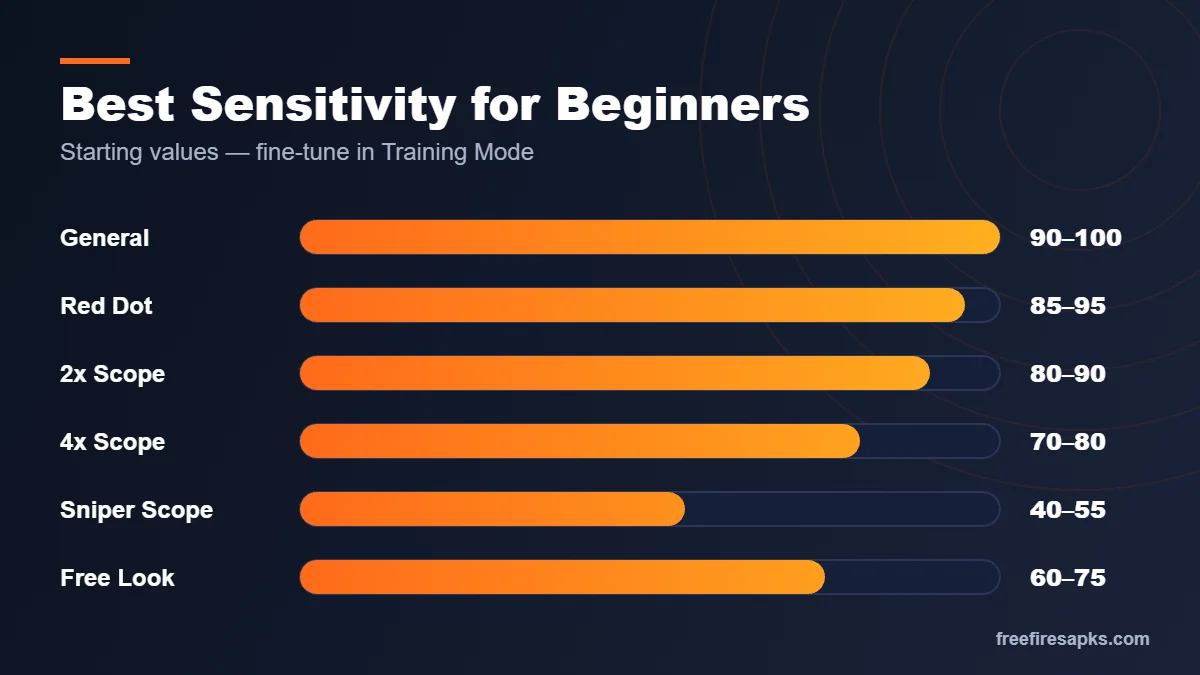
Sensitivity controls how fast your camera and crosshair move. Start with the values below, then adjust in Training Mode. If your aim overshoots, lower it slightly. If you cannot turn fast enough, raise it a little. See our full best sensitivity for Free Fire MAX guide for device-wise values.
- General: 90–100
- Red Dot: 85–95
- 2x Scope: 80–90
- 4x Scope: 70–80
- Sniper Scope: 40–55
- Free Look: 60–75
Custom HUD Layout Tips
The HUD is the layout of buttons on your screen. Move the fire button where your thumb rests naturally. Place the Gloo Wall and crouch buttons close to your right thumb for quick reactions. Players who are ready can try a three-finger or four-finger claw grip, which lets you aim, move, and shoot at once. Change one thing at a time and test it.
Best Characters and Skill Combinations
Characters give you special skills that change how you play. You can equip one active skill and several passive skills from other characters. Learning a few good combos helps more than owning every character.
Active vs Passive Skills Explained
An active skill is one you trigger with a button, and it has a cooldown. Examples include healing auras, shields, or dashes. Passive skills work in the background all the time, like faster healing or extra damage to armor. A strong setup usually pairs one active skill with passives that support your play style.
Top Characters for Beginners
- DJ Alok: Creates an aura that boosts movement speed and restores HP. Great for any style.
- Chrono: Builds a force field that blocks incoming damage. Useful in close fights.
- K (Captain Booyah): Helps with EP and recovery, which supports long fights.
- Kelly: Increases sprint speed for faster rotations.
- Hayato: Improves armor penetration as HP drops.
- Moco: Tags enemies you hit so your team can track them.
- Dimitri: Creates a healing zone that also helps knocked teammates.
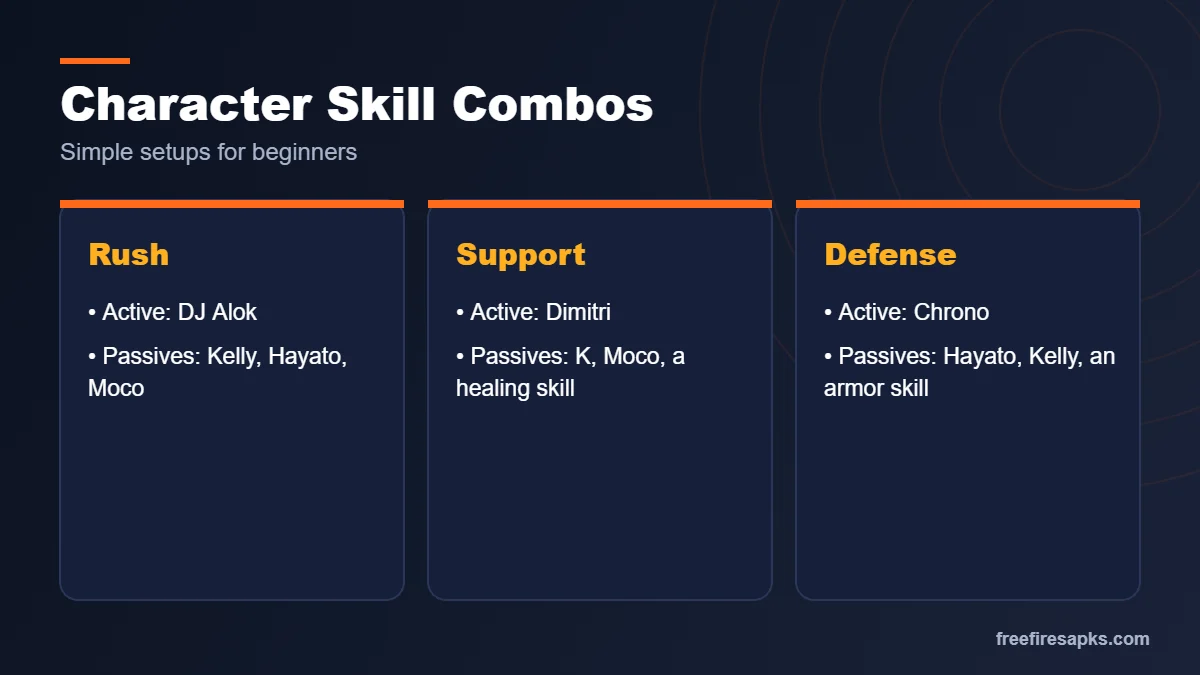
Simple Combo Ideas for Rush, Support, and Defense
- Rush: Alok active with Kelly, Hayato, and Moco passives.
- Support: Dimitri active with K, Moco, and a healing passive.
- Defense: Chrono active with Hayato, Kelly, and an armor passive.
Character availability changes with updates, so check the in-game character menu for the latest skills.
Maps Guide: Where to Land and How to Rotate
Knowing the map helps you choose safe landing spots, find loot faster, and move toward the safe zone early. Rotation means moving to a better position before the zone closes.
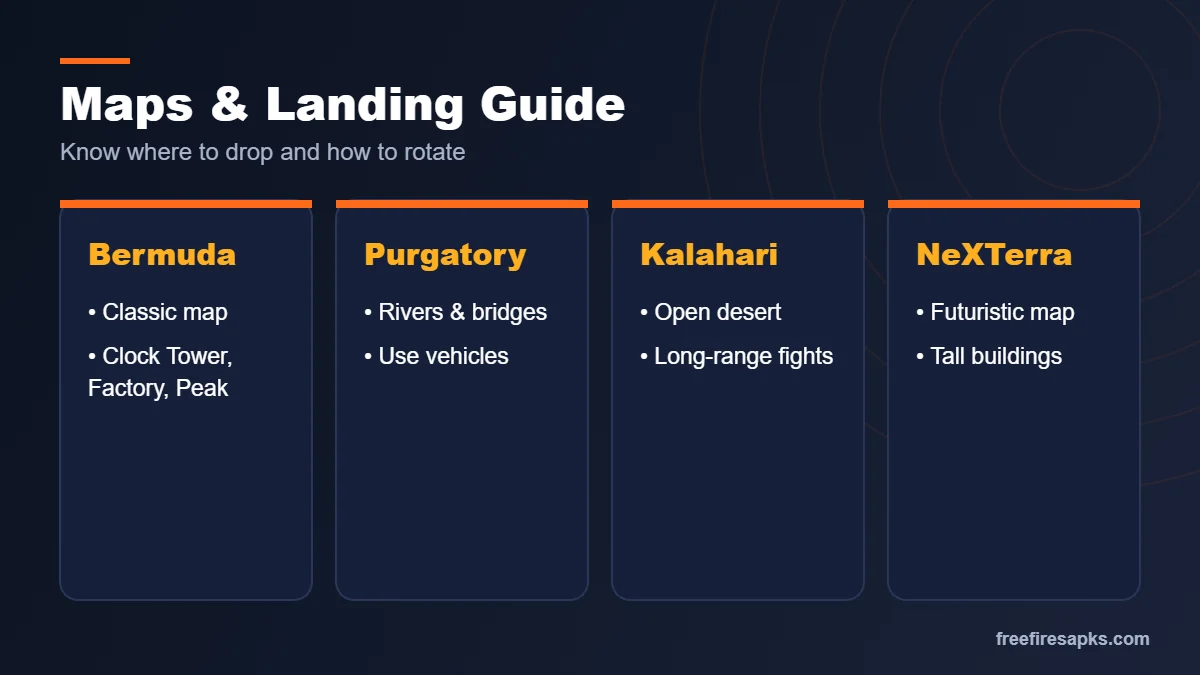
Bermuda, Purgatory, Kalahari, and NeXTerra Basics
- Bermuda: The classic map with places like Clock Tower, Factory, Peak, and Pochinok.
- Purgatory: A large map with rivers and bridges. Vehicles help a lot here.
- Kalahari: A desert map with open land and few covers. Long-range weapons shine.
- NeXTerra: A futuristic map with tall buildings and special movement routes.
Safe Landing Spots for New Players
Hot drops like Clock Tower or Factory attract many players at once. Beginners do better landing near the edge of the flight path, where fewer enemies drop. Loot quickly, grab a vehicle if you see one, and move toward the next safe zone early. Arriving first lets you pick cover and see enemies coming instead of getting caught in the open.
Gameplay Tips to Improve Faster
Steady practice beats random matches. Short daily sessions with a clear goal build your skills faster than long sessions without a plan.
Training Mode Drills
- Spend five minutes on moving targets to practice tracking.
- Test each weapon’s recoil by spraying at a wall.
- Practice drag headshots with shotguns and SMGs.
- Try your sensitivity changes here before using them in ranked.
Gloo Wall Basics
The Gloo Wall is a deployable shield and one of the most important items in the game. Throw it the moment you get shot in the open. Use it to block an enemy’s line of fire while you heal or revive a teammate. With practice, you can place quick walls during fights to win close battles. Always carry several in your inventory.
Playing With a Squad
Talk with your team using voice chat or quick messages. Call out enemy positions with simple directions, like “north, behind the red building.” Share medkits, ammo, and Gloo Walls when a teammate runs low. Stay close enough to revive each other but not so close that one grenade hits everyone. Good teamwork often matters more than individual aim.
Events, Collaborations, and Free Rewards
Garena runs regular events that bring new outfits, emotes, maps, and missions. These events are the fair way to collect rewards without spending money.
How Collab Events Work (Naruto, Jujutsu Kaisen and More)
Collaboration events bring characters and themes from anime and pop culture into the game. Past and upcoming collabs have included series like Naruto and Jujutsu Kaisen. These events usually add themed bundles, special missions, lobby designs, and limited-time modes. Many items can be earned by completing daily tasks. Check the Events tab often, since collab rewards are only available for a short time. Read our Free Fire MAX x Naruto event guide for the current chapter.
Spotting Fake Diamond and Reward Scams
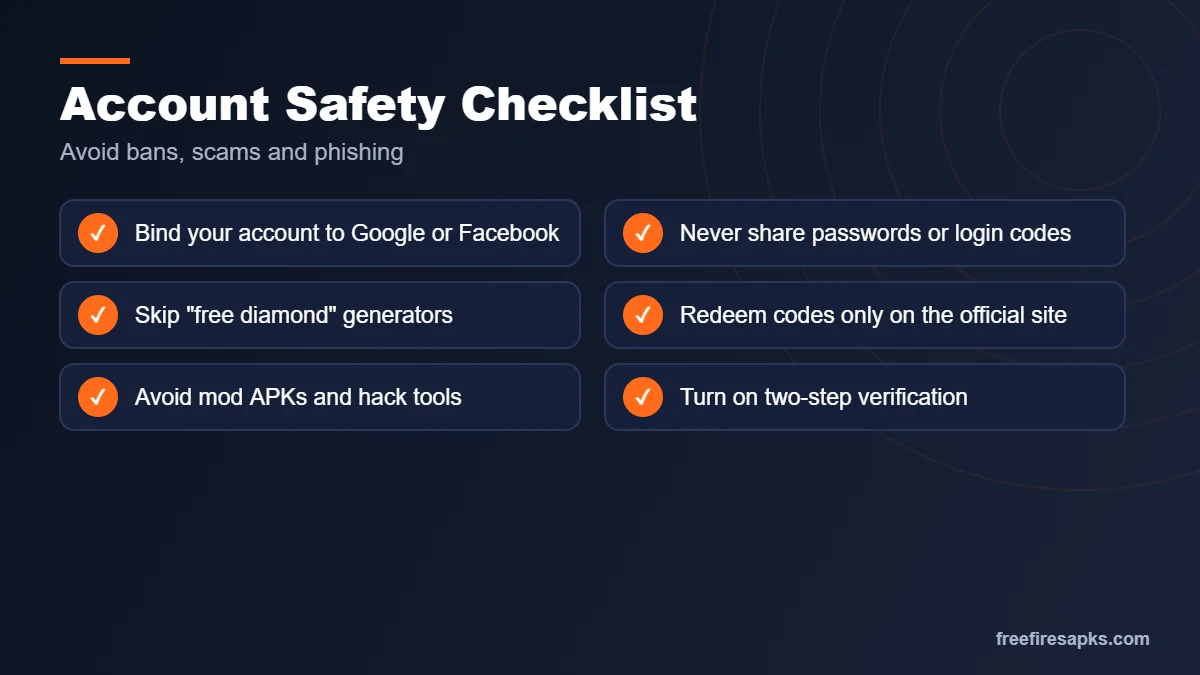
- No website or app can generate free diamonds. Diamond generators are always scams.
- Never share your password or login code with anyone.
- Avoid pages that ask you to “verify” by installing apps or completing surveys.
- Only buy diamonds through the in-game store or official top-up partners.
Garena Free Fire MAX Redeem Codes 2026: How to Redeem Them Safely
Garena Free Fire MAX redeem codes are free promotional codes that Garena releases during events, collaborations, livestreams and community milestones. A single code can unlock rewards such as weapon skins, costume bundles, pets, gloo wall skins, vouchers and sometimes diamonds, at no cost. Because both versions share one account, a reward claimed for Free Fire MAX also shows up in classic Free Fire.
What a Valid Redeem Code Looks Like
- It is usually 12 characters long, though some special codes have 16.
- It uses only capital letters and numbers, with no spaces or symbols.
- It works for a limited time, often just 12 to 24 hours after release.
- It is region-locked, so a code made for one server may not work on another.
- It can be used once per account, and most codes also have a total usage limit.
How to Redeem Codes Step by Step
- Open Garena’s official rewards redemption site, reward.ff.garena.com, in your browser.
- Log in with the same platform linked to your game account: Google, Facebook, Apple ID, X (Twitter), VK or Huawei ID.
- Enter the code exactly as shared, tap Confirm, then tap OK.
- Open the game and check your in-game Mail. Items usually arrive within 24 hours, while diamonds and gold are added straight to your wallet.
Note: Guest accounts cannot redeem codes. Bind your guest account to Google or Facebook from your in-game profile first, or you will lose access to the rewards.
Common Redeem Code Errors and Quick Fixes
- “Invalid redeem code”: check for typos and look-alike characters such as O and 0 or I and 1. If it still fails, the code is likely fake.
- Code expired or already used: the code has passed its time or usage limit. Wait for the next official release.
- “Redemption is not available in your region”: the code was made for a different server and cannot be used on yours.
- Reward not in Mail: wait up to 24 hours and restart the game before contacting Garena support.
Where to Find Real Redeem Codes
The only trustworthy sources are Garena’s official Free Fire social media pages, official livestreams, the in-game news section and official esports broadcasts. Codes posted anywhere else are often copied, expired or used as bait for phishing.
Stay safe: never enter your password on any page other than the official rewards site, and never pay, complete surveys or install an app to “unlock” a code. Real Free Fire MAX redeem codes are always free.
Account Safety and Fair Play
Your account holds your rank, skins, and progress. Protecting it takes only a few minutes and saves you from losing everything.
Binding Your Account With Google or Facebook
Guest accounts are stored only on your device. If you reset the phone or clear the app data, a guest account can be lost forever. Go to your profile settings and bind the account to Google, Facebook, or another supported login. Once bound, you can log in on any phone or on PC and keep all your progress.
Why Hacks and Mod Menus Get Accounts Banned
Garena uses an anti-cheat system that detects modified files and unfair tools such as aimbots or wall hacks. Accounts caught using them can be banned permanently, and sometimes devices are blocked too. Beyond bans, cheats ruin matches for other players. Real skill takes longer to build, but it lasts, and nobody can take it away from you.
Protecting Your Account From Phishing
Phishing pages copy the look of official sites to steal logins. Always check the web address before signing in. Turn on two-step verification for your Google or Facebook account. Do not click reward links shared in random chats or comments. If you think your account is compromised, change your linked account password right away and contact official Garena support.
Latest Free Fire MAX Guides
 Free Fire MAX x Naruto Event GuideFree Hinata or Jiraiya bundle, ninjutsu and mission tips.
 Free Fire MAX Android 12, 13, 14 FixSolve crashes, install errors, black screen and lag.
 Best Sensitivity for Free Fire MAX 2026Settings by device and play style, plus a tuning method.
Frequently Asked Questions
Is Free Fire MAX free to play?
Yes. The game is free to download and play. It offers optional purchases, like diamonds for skins and passes, but none of them are required to play or win matches.
Can I play Free Fire MAX on a 2GB RAM phone?
It may install, but performance is often poor on 2 GB RAM. You may face lag, heating, or crashes. The classic Free Fire is a better choice for such phones, and your account stays the same.
Will my Free Fire progress carry over to Free Fire MAX?
Yes. Thanks to Firelink, your level, skins, characters, and diamonds are shared. Just log in with the same linked account on both versions.
How much storage does Free Fire MAX need?
Keep at least 4 GB free for the game and its resource files. Updates and events add more data, so extra space helps avoid errors later.
Can Free Fire and Free Fire MAX players play together?
Yes. Both versions use the same servers and matchmaking. You can join squads and matches with friends on either version.
How do I play Free Fire MAX on PC without lag?
Use Google Play Games for PC or a trusted emulator. Allocate enough RAM and CPU cores, turn on virtualization, close background programs, and use a wired internet connection when possible.
Why does Free Fire MAX keep crashing on my phone?
Common causes are low storage, low RAM, outdated software, or graphics set too high. Clear the cache, lower graphics, free up space, and update your phone and the game.
Where can I find official redeem codes?
Garena shares codes on its official social media accounts and during livestreams. Redeem them only on the official rewards website using your linked account.
Is it safe to download Free Fire MAX from APK sites?
It is risky. Unofficial APK files may be outdated, broken, or infected with malware. Use Google Play, the App Store, or Garena’s official website instead.
Can I get banned for using mod APKs or hacks?
Yes. Garena’s anti-cheat detects modified files and cheating tools. Accounts caught using them can be suspended or banned permanently, and all progress can be lost.
What is Free Fire Mod APK?
It is an unofficial, modified copy of the Free Fire installer shared on third-party sites, usually claiming unlimited diamonds, a mod menu or auto headshot. It is not made or approved by Garena.
Is Free Fire Mod APK safe to use?
No. Modified files can carry malware, cannot update from Google Play, and gameplay cheats are detected by anti-cheat, which can get your account banned.
Can a mod give me unlimited diamonds in Free Fire?
No. Diamonds are stored on Garena’s servers, so no APK or generator can add them. Use official top-ups, events and redeem codes instead.
Will Garena ban me for using a mod menu or auto headshot?
Very likely. Mod menus, aimbots and wallhacks break the fair play rules, and accounts caught using them can be suspended or permanently banned.
Is Free Fire MAX banned in India?
The original Free Fire was blocked in India in 2022, but Free Fire MAX was not part of that ban. It is available on Google Play in India, so download it only from the official store, not from APK sites.
Is FF MAX the same as Free Fire MAX?
Yes. FF MAX is simply the short name players use for the game. It uses the same account as classic Free Fire through Firelink.
Where can I find Free Fire MAX redeem codes?
Garena shares Free Fire MAX redeem codes on its official social media pages and during live events. Redeem them only on Garena’s official rewards site and never share your login with anyone.
How can I get free diamonds in Free Fire MAX?
Use official events, missions and redeem codes. Any site or Free Fire Mod APK that promises 10,000 or 99999 free diamonds is a scam and can get your account banned.
Final Verdict: Is Free Fire MAX Worth Playing in 2026?
If your phone has around 4 GB RAM or more, the MAX edition is worth it for its sharper visuals and richer sound. You keep the same account, friends, and progress as the classic game. Download it only from official stores, bind your account, and spend a few minutes on settings and sensitivity. Then practice in Training Mode, learn one map well, and play with a squad. Fair, steady practice is the surest path to more Booyah wins.