Best Sensitivity for Free Fire MAX 2026: Settings by Device and Play Style
The best sensitivity is the one that lets you turn quickly without overshooting, and you find it by starting with proven values and adjusting in Training Mode. Many beginners copy a pro player’s settings at 100 everywhere and then wonder why their aim shakes. This guide gives you the best sensitivity for Free Fire MAX by device and play style, plus a simple method to tune it for your own hands.
What Sensitivity Means in Free Fire MAX
Sensitivity controls how far your camera moves when you swipe the screen. Higher values turn the view faster. Lower values give slower, steadier control. Free Fire MAX has separate sliders for general movement and for each scope, so you can be fast when looking around and steady when aiming far away.
The Six Sensitivity Sliders
- General: Camera movement without a scope. Affects close-range fights the most.
- Red Dot: Aiming with red dot and holographic sights.
- 2x Scope: Mid-range aiming.
- 4x Scope: Long-range aiming with ARs and DMRs.
- Sniper Scope: AWM and other sniper rifles.
- Free Look: Looking around while moving, without turning your character.
Best Sensitivity Settings for Beginners
These values work well for most phones and players. Use them as a starting point, then adjust using the method later in this guide.
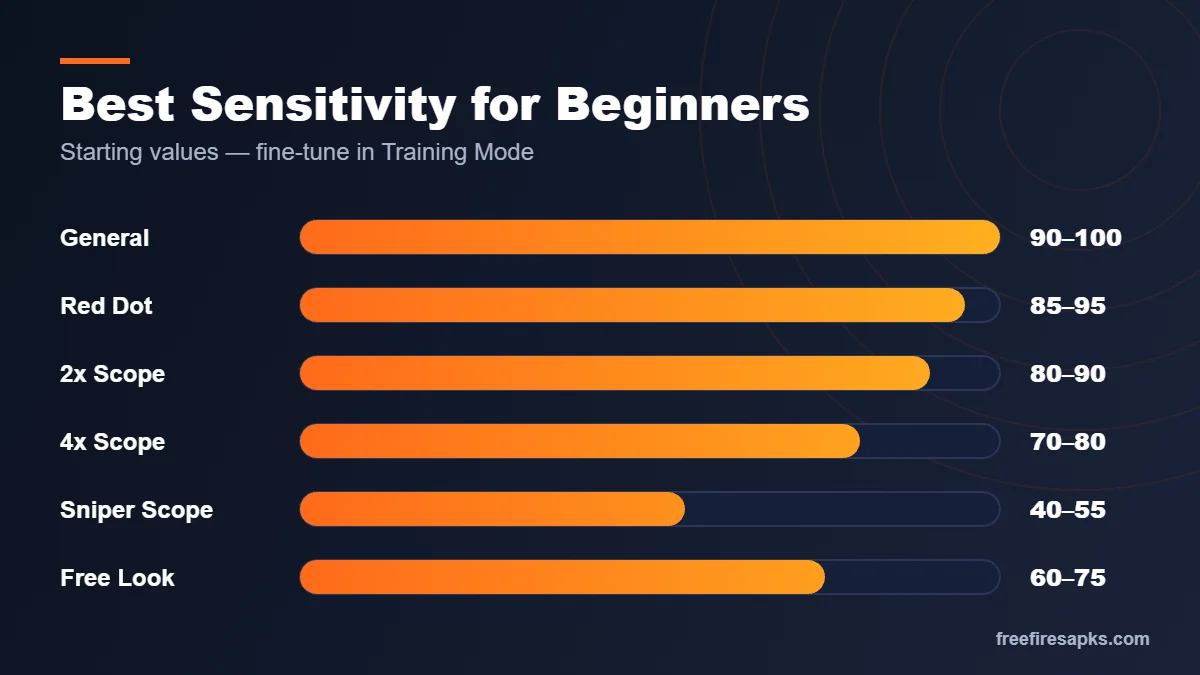
- General: 90–100
- Red Dot: 85–95
- 2x Scope: 80–90
- 4x Scope: 70–80
- Sniper Scope: 40–55
- Free Look: 60–75
Sensitivity by Device Type
Screen size and touch speed change how sensitivity feels. A bigger screen needs a longer swipe for the same turn, so tablets usually need higher values. Phones with lower frame rates may feel smoother with slightly lower values.
| Setting | Budget Phone (2–4 GB) | Mid-Range Phone | Flagship / Gaming Phone | Tablet / iPad |
|---|---|---|---|---|
| General | 95–100 | 90–100 | 85–95 | 100 |
| Red Dot | 90–100 | 85–95 | 80–90 | 95–100 |
| 2x Scope | 85–95 | 80–90 | 75–85 | 90–100 |
| 4x Scope | 75–85 | 70–80 | 65–75 | 80–90 |
| Sniper Scope | 45–55 | 40–55 | 40–50 | 50–60 |
| Free Look | 65–75 | 60–75 | 60–70 | 70–80 |
Sensitivity on PC Emulators
On PC, mouse sensitivity in the emulator matters more than in-game sliders. Start with in-game values around 50–70 and adjust the emulator’s mouse speed. A larger mouse pad and lower DPI usually give steadier aim. Learn more in our Free Fire on PC guide.
Sensitivity by Play Style
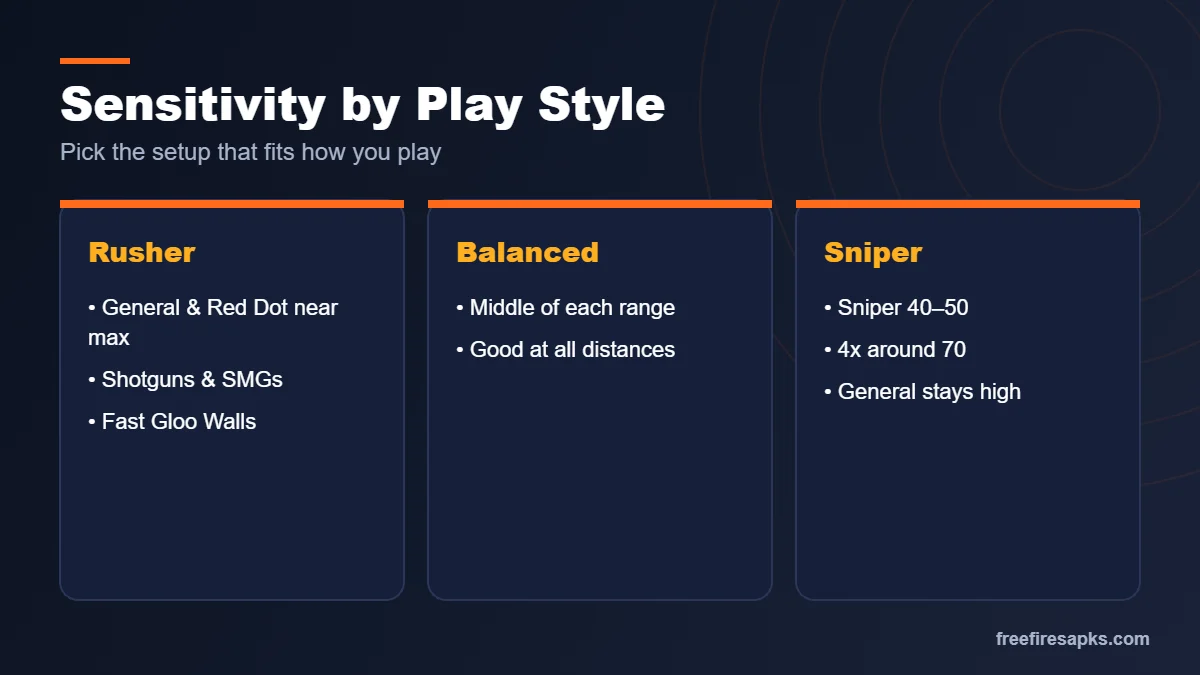
Rusher
Rushers fight up close and need fast turns. Keep General and Red Dot near the top of the range. Combine this with quick Gloo Wall placement and shotguns or SMGs.
Balanced Player
If you play every range, stay in the middle of each range. This keeps close fights quick and long shots steady.
Sniper or Support
Snipers need precise, slow movement when scoped. Keep the Sniper slider around 40–50 and 4x near 70. General can still stay high for repositioning.
How to Find Your Own Perfect Sensitivity
Copied settings are only a starting point. Your thumb size, grip, and screen protector all change how sensitivity feels. Use this simple test in Training Mode.
- Enter Training Mode and stand in front of a moving target.
- Do a quick 180-degree turn with one swipe.
- If you turn too far, lower General by 5. If not far enough, raise it by 5.
- Scope in with Red Dot and track a moving target for 10 seconds.
- If the crosshair shakes past the target, lower Red Dot by 5.
- Repeat for each scope, then play three real matches before changing again.
💡 Tip: Change one slider at a time. Changing everything at once makes it impossible to know what helped.
Other Settings That Affect Your Aim
Fire Button Size and HUD
A larger fire button is easier to hit during fast fights. Many players use a size around 50–60%. Place it where your thumb rests naturally. If you use three or four fingers, keep the scope and crouch buttons close to your aiming finger.
Graphics and Frame Rate
Smooth frames make aim feel better than any sensitivity change. Choose a high frame rate if your phone holds it without heating, and lower graphics if needed. Stable fps means steady tracking.
Developer Options DPI: Is It Worth It?
Some players change the phone’s minimum width (DPI) in Developer Options to make the screen feel more responsive. This also changes the size of everything on your phone. Beginners should skip it. Proper in-game sensitivity is safer and easier to undo.
Common Sensitivity Mistakes
- Setting everything to 100 because a video said so.
- Changing settings after every lost match.
- Ignoring Free Look, which helps you check behind while running.
- Playing with a greasy screen or no finger sleeves in hot weather.
- Expecting sensitivity alone to fix aim without practice.
Why “Headshot Sensitivity” Apps and Hacks Are a Trap
You may see apps or files that promise “auto headshot sensitivity”. Real sensitivity is just a set of numbers in the game’s settings. Anything that changes the game files or injects aim help is a cheat. Garena’s anti-cheat can ban those accounts permanently. Stick to in-game settings and practice.
Frequently Asked Questions
What is the best sensitivity for Free Fire MAX?
A good start is General 90–100, Red Dot 85–95, 2x 80–90, 4x 70–80, Sniper 40–55, and Free Look 60–75. Fine-tune in Training Mode.
Is 100 sensitivity good for headshots?
Only on some devices. High sensitivity makes drag headshots easier but can cause overshooting. Lower it if your crosshair passes the head.
Should Free Fire and Free Fire MAX use the same sensitivity?
Usually yes. The sliders work the same way, but frame rate differences may make small adjustments useful.
What sensitivity is best for a 2GB or 3GB RAM phone?
Slightly higher values like General 95–100 can help, since lower frame rates make movement feel slower.
What sensitivity should I use on an iPad?
Tablets usually need higher values because of the larger screen. Start near 100 for General and Red Dot.
Does a fire button size affect aim?
Yes. A comfortable, larger fire button lets you shoot and drag in one smooth motion.
How often should I change my sensitivity?
Rarely. Find settings you like, then keep them for at least a week so your muscle memory can build.
Does sensitivity reset after an update?
Usually not, but it can happen. Take a screenshot of your settings so you can restore them quickly.
Can sensitivity alone make me a pro?
No. Good sensitivity helps, but positioning, movement, and Gloo Wall timing matter more.
Are auto headshot sensitivity apps safe?
No. They are scams or cheats and can get your account banned. Use only in-game settings.
Final Verdict
Start with balanced values, test them in Training Mode, and adjust one slider at a time. Match your settings to your device and play style rather than copying someone else. Pair good sensitivity with smooth graphics and daily practice. For more setup help, read our Free Fire MAX guide.